|
Gunamoi Software
|



NixClock Program |
The idea for the Nixie Clock for Windows program, presented here, came from a JavaScript version by Peter H. Wendt from Germany, as modified by Elwood in 2001. If you have a JavaScript enabled web-browser, you will see the Java Nixie Clock operating at the top of this page. Unfortunately, a computer display cannot replicate the 3-D effect of real Nixie tubes. UsageThe downloaded executable is an installer package that will install NixClock on your PC. After the program is installed, you can run it by clicking on the shortcut created by the installer. Or place the shortcut in your Start menu's "Startup" folder so the program starts when your PC boots up. While the program is running, you can control the way it looks and behaves by right clicking on the clock face, or on the icon in the system tray, to get a pop-up menu. From the menu, your favourite settings may be selected and saved, to be automatically configured next time you run the program. The clock window can be resized to any size you wish. You may also select a small frame around the window, or no frame at all. Note that to move the window about the screen, you have to select the 'Movable' window frame. After your clock is in position, you can reselect "Standard Frame" or "No Frame". Select Save Preferences and your current window position, size and frame type will be remembered for next time. In addition to the clock HH:MM:SS display, the program can also display the date. The date display is located below the time, and can be revealed by dragging down the lower edge of the window. Note that you need to be in "Movable" or "Standard" frame mode to resize the window edge. The nixie display date format can be selected as DD:MM:YY, MM:DD:YY, or YY:MM:DD, via selections on the pop-up menu. Date format and window size will be remembered if you Save Preferences. By default, the clock will be "always on top" of any other windows. But this behaviour can be changed via the pop-up menu. The NixClock program will not appear in the task-bar. If the clock disappears below other windows, just double-click on the system tray icon to bring it to the front. In version 3, the right-click menu also includes the "Copy DateTime" and "Copy ISO DateTime" items. This allows the current date and time to be copied as a string into the clipboard, in either the current system format, or in the standard ISO (YYYY-MM-DD) format. You are free to copy and distribute this program, provided that you always include the licence.txt file. Preferably by using the installer package provided here. STOPWATCH FEATURE As from version 2.1, NixClock also includes a Nixie Stopwatch feature. This can be accessed via the right-click context menu.
A second window appears with a Stopwatch display
showing HH:MM:SS.SS, as accurate as the system clock, displaying to hundredths of a second. From version 3, the stopwatch includes a right-click menu that allows you to copy the current stopwatch displayed time as a string to the clipboard. BackgroundPlease note that the links provided below were accurate in November 2016, but have not been checked since. Nixie tubes were the numeric display technology of choice in the 1960's and early 1970's.
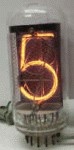
Some would call them the pinnacle of the vacuum tube makers art.
Each tube contains 10 individual cathodes, each carefully formed in the shape of a digit.
The tube is filled with a mixture of gases, including neon.
A high voltage applied to one of the cathodes causes the gas around it to glow in a soft orange light.
Because each digit is individually formed, they tend to have a more pleasing shape than seven-segment displays. In addition, since the digits are lined up one behind the other inside the tube, there is an extra 3-dimensional aspect to Nixie displays that does not exist with newer technologies. As the digits count from 0 to 9, they can appear to march away from the viewer in the tube. While Nixie tubes were eventually replaced in the West by cheaper, lower voltage seven segment LED displays, and later by LCDs, they continued to be used and manufactured in Eastern Europe until very recently. A growing nostalgia for the old technology, fueled by availability of stocks of East European tubes, has led to a small industry in Nixie tube clocks and ornaments. The idea for the Nixie Clock for Windows program, presented here, came from a JavaScript version by Peter H. Wendt from Germany, as modified by Elwood in 2001. If you have a JavaScript enabled web-browser, you will see the Java Nixie Clock operating at the top of this page. Unfortunately, a computer display cannot replicate the 3-D effect of Nixie tubes. The digit images used in the JavaScript clock and the Nixie Clock for Windows are © copyright
"Mike's electric stuff" https://www.electricstuff.co.uk
Further ReadingTo read further about the nostalgia in Nixie tubes, see the following articles from IEEE Spectrum magazine:
The Wikipedia article has a bunch of references and cool links at the end: For further examples of some real Nixie clock kits, and other Nixie tube related stuff, try the following links:
Or these links, now no longer being maintained, but still interesting:
|